Tag Archives: writing

Video Interviews and B-Roll, Location and Studio Services

Today’s audiences expect more than polished visuals—they expect authentic stories. Whether you’re communicating with customers, employees, investors, or stakeholders, professionally produced interview videos supported by purposeful b-roll have become one of the most effective ways to educate, inspire confidence, and strengthen your brand.

From executive communications and customer success stories to recruiting campaigns and corporate documentaries, the combination of well-crafted interviews and visually engaging supporting footage creates content that resonates long after it has been viewed.

For organizations investing in professional marketing and communications, understanding the role of interview production and b-roll can make the difference between a video that simply delivers information and one that drives meaningful engagement.

Authentic Communication Builds Trust

People naturally respond to real conversations and genuine experiences. A thoughtfully produced interview allows executives, employees, customers, physicians, engineers, educators, and industry experts to communicate directly with viewers in a way that feels credible and approachable.

Interview-based productions are widely used for:

  • Executive announcements
  • Customer testimonials
  • Company culture videos
  • Recruitment campaigns
  • Healthcare communications
  • Product introductions
  • Training and onboarding
  • Nonprofit fundraising
  • Educational programming
  • Investor and stakeholder updates

Rather than relying on scripted narration alone, interviews provide a human perspective that audiences remember.

Great Video Begins Before the Camera Rolls

Professional productions are built through careful planning. Pre-production helps define the project’s objectives while eliminating surprises on production day.

Preparation typically includes:

  • Defining communication goals
  • Identifying target audiences
  • Selecting filming locations
  • Developing interview questions
  • Creating production schedules
  • Coordinating talent
  • Planning lighting and audio
  • Building shot lists
  • Evaluating logistics

A well-organized production schedule allows businesses to minimize interruptions while maximizing the amount of useful content captured.

Creating Comfortable Interview Environments

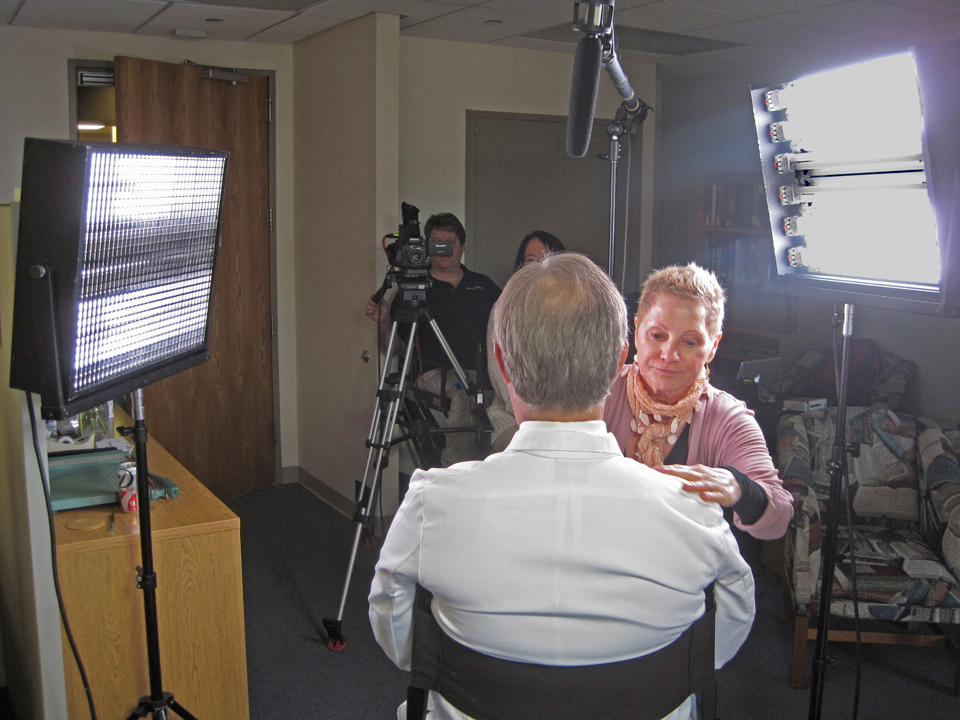
Not everyone feels immediately comfortable on camera. Experienced producers understand how to coach interview participants without making performances appear rehearsed.

The objective is simple: encourage natural conversations that reflect confidence, professionalism, and authenticity.

Small adjustments to posture, pacing, eye line, and conversational flow often create significant improvements in the final presentation while allowing speakers to remain genuine.

Why Professional Audio Cannot Be Overlooked

The clearest images cannot compensate for poor sound quality. Viewers quickly disengage when dialogue is difficult to understand.

Professional interview productions prioritize:

  • Broadcast-quality microphones
  • Multiple audio recording systems
  • Continuous audio monitoring
  • Controlled recording environments
  • Echo reduction
  • Ambient noise management

Capturing exceptional audio during production provides a stronger foundation for editing while reducing time spent correcting avoidable issues.

Lighting That Reflects Your Brand

Lighting shapes both the appearance of the subject and the mood of the production.

Professional lighting techniques help:

  • Create visual depth
  • Produce flattering skin tones
  • Eliminate distracting shadows
  • Highlight products and environments
  • Establish consistency across multiple interview subjects
  • Reinforce a polished corporate image

Whether filming inside a conference room, manufacturing facility, healthcare office, or studio, lighting should support the story rather than distract from it.

B-Roll Gives Context to Every Story

Interviews explain ideas, while b-roll demonstrates them.

Supporting footage illustrates the people, environments, equipment, products, and activities discussed throughout the interview, keeping viewers engaged while strengthening the message.

Common b-roll includes:

  • Team collaboration
  • Customer interactions
  • Production processes
  • Product demonstrations
  • Office activity
  • Architectural imagery
  • Laboratory work
  • Equipment operation
  • Community outreach
  • Facility tours
  • Event coverage
  • Environmental details

Rather than collecting random visuals, experienced crews capture sequences that naturally support the narrative and create seamless editing opportunities.

Choosing the Right Production Environment

Every project benefits from selecting an environment that complements its purpose.

Studio Productions

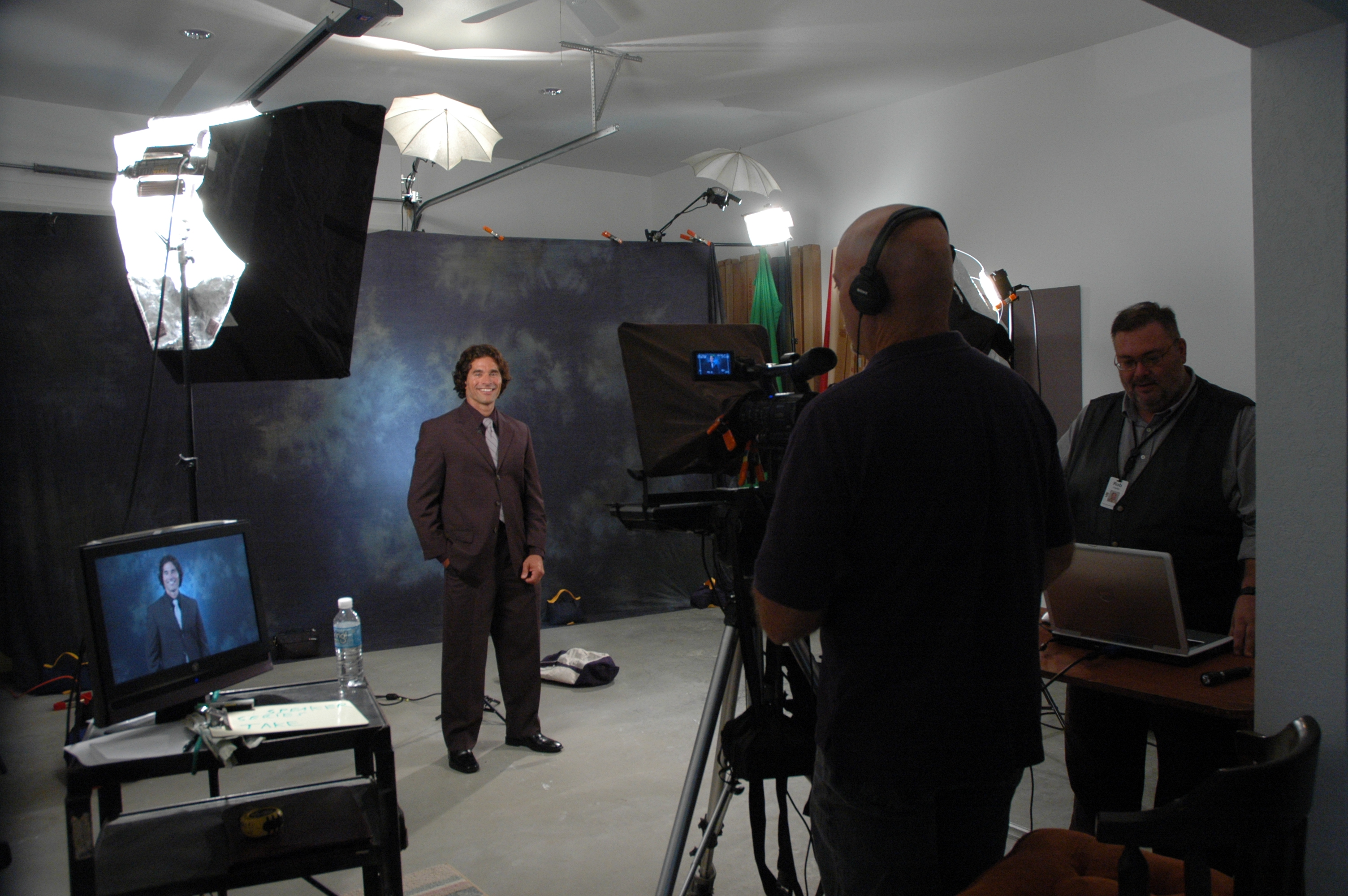
Controlled studio environments provide consistency and flexibility.

Benefits include:

  • Professional lighting
  • Quiet recording conditions
  • Custom backgrounds
  • Flexible set design
  • Teleprompter support
  • Reliable scheduling
  • Controlled acoustics
  • Efficient production workflow

Studios are ideal for executive messaging, interviews, webinars, podcasts, educational content, and product presentations.

On-Location Productions

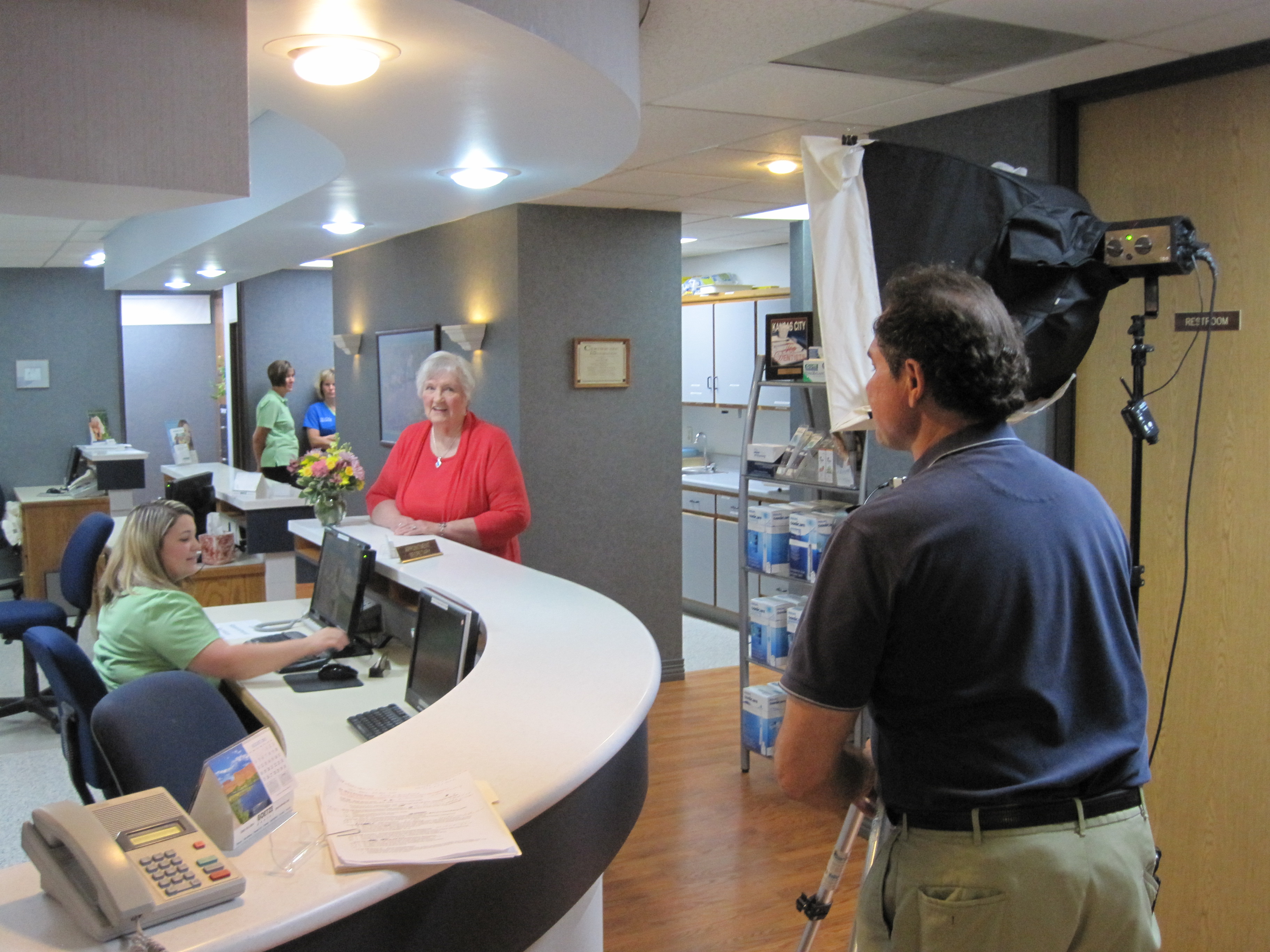
Filming at your facility provides authenticity and reinforces credibility.

Location filming works exceptionally well for:

  • Manufacturing operations
  • Healthcare facilities
  • Corporate headquarters
  • Construction projects
  • Educational campuses
  • Hospitality properties
  • Distribution centers
  • Commercial offices
  • Retail environments

Real-world settings help viewers better understand your organization while adding visual variety.

Location Scouting Is Part of the Creative Process

Selecting the right location involves much more than finding an attractive background.

Professional location scouting evaluates:

  • Available natural light
  • Noise levels
  • Camera positioning
  • Accessibility
  • Electrical requirements
  • Safety considerations
  • Visual distractions
  • Drone opportunities
  • Parking and equipment logistics

Proper planning creates a smoother production day while improving the final visual quality.

Multiple Cameras Enhance Storytelling

Professional interview productions frequently incorporate multiple cameras to improve pacing and visual interest.

Advantages include:

  • Dynamic editing
  • Natural transitions
  • Greater visual variety
  • Fewer visible edits
  • Improved continuity
  • More engaging viewer experience

This production style creates polished presentations that hold audience attention throughout longer interviews.

Expanding the Story with Drone Technology

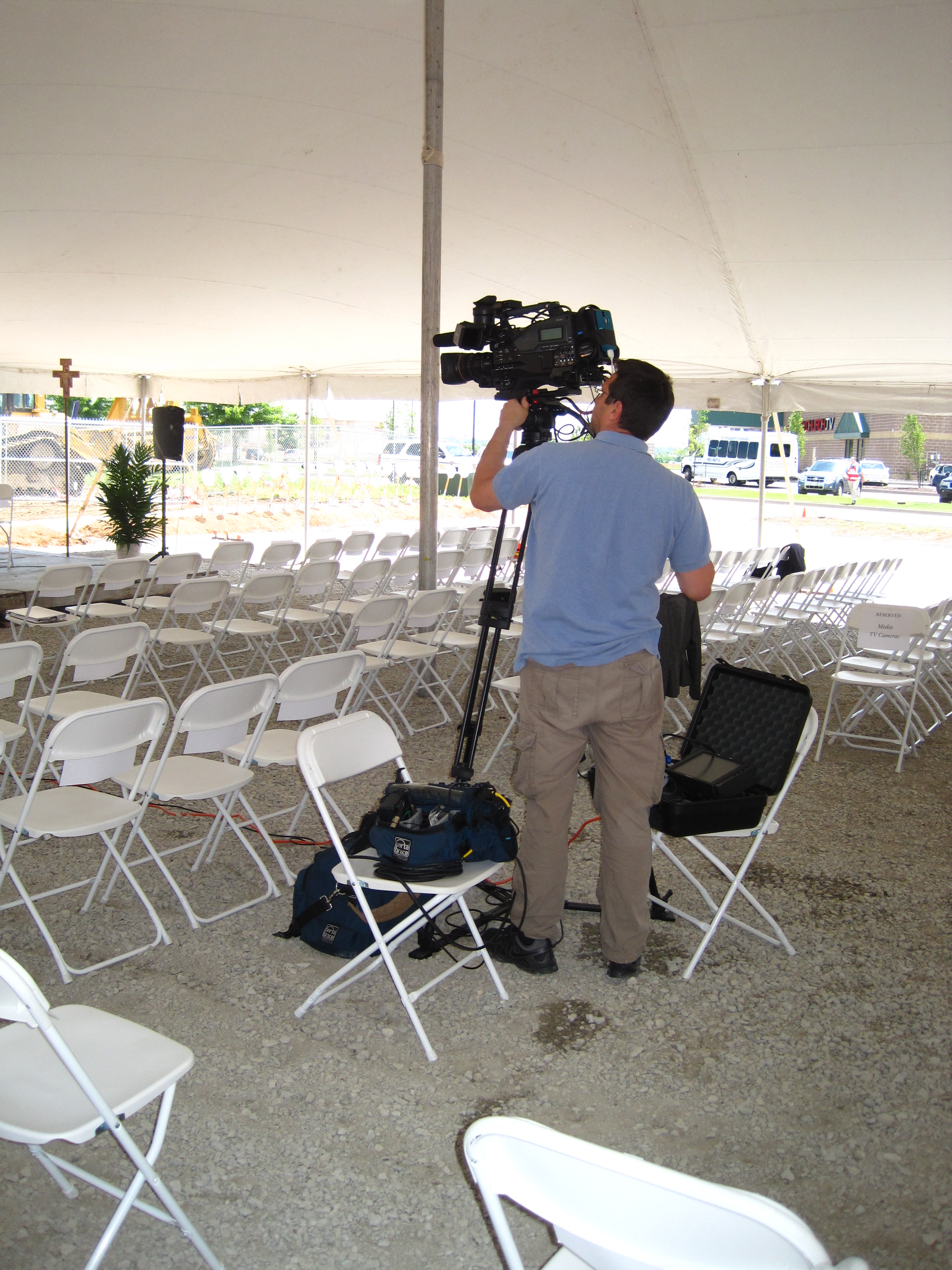
Aerial imagery adds scale, context, and production value that traditional cameras cannot provide.

Drone services can capture:

  • Corporate campuses
  • Industrial facilities
  • Commercial developments
  • Construction progress
  • Real estate
  • Infrastructure
  • Community surroundings
  • Architectural highlights

Specialized indoor FPV drone systems can safely navigate warehouses, offices, manufacturing environments, athletic facilities, museums, and commercial interiors, delivering immersive perspectives that elevate corporate storytelling.

Modern Production Powered by Artificial Intelligence

Artificial Intelligence has become an important production resource that improves efficiency without replacing creative decision-making.

Today’s production workflows may incorporate AI for:

  • Automated transcription
  • Caption generation
  • Audio cleanup
  • Interview organization
  • Content indexing
  • Editing assistance
  • Color workflow optimization
  • Content repurposing
  • Social media formatting

Combined with experienced editors and producers, AI accelerates delivery while maintaining professional standards.

Extending the Value of Every Production

A single interview session can support an entire marketing strategy.

Professional productions can be transformed into:

  • Website content
  • Social media campaigns
  • Recruiting videos
  • Sales presentations
  • Conference displays
  • Educational modules
  • Internal communications
  • Email campaigns
  • Digital advertising
  • Podcast content
  • Vertical mobile videos

Creating multiple deliverables from one production day maximizes both efficiency and marketing return.

Professional Experience Produces Better Results

Successful interview productions depend on much more than cameras and software. They require experienced producers who understand visual storytelling, scheduling, communication, lighting, audio, editing, and production logistics.

Every decision—from selecting a location to capturing the final b-roll sequence—contributes to the effectiveness of the finished video and the way audiences perceive your organization.

Why Businesses Choose St Louis Video Services

For more than four decades, St Louis Video Services has partnered with businesses, corporations, healthcare organizations, manufacturers, educational institutions, nonprofit organizations, marketing agencies, and creative firms throughout the St. Louis region to produce high-quality commercial photography and video content that supports strategic business objectives.

As a full-service commercial production company, St Louis Video Services provides experienced producers, directors, videographers, photographers, editors, audio technicians, lighting professionals, and FAA-certified drone pilots who understand every stage of professional media production.

Our services include commercial photography, studio and location video production, editing, post-production, color grading, motion graphics, licensed drone operations, and complete project management from concept through final delivery.

We help organizations maximize the value of every production by repurposing photography and video into multiple formats for websites, broadcast, streaming platforms, social media, digital advertising, presentations, trade shows, employee communications, and training programs.

Our professional production studio is designed for interviews, executive messaging, podcasts, educational programming, product demonstrations, and commercial productions. Equipped with professional lighting, flexible set configurations, custom backgrounds, and room for props and branding elements, it offers a controlled environment that consistently delivers exceptional results.

Beyond traditional production services, our experienced crews provide comprehensive location scouting, cinematic b-roll acquisition, and advanced aerial solutions. Our drone capabilities include cinematic aerial video, indoor FPV drone flights, infrared thermal inspections, orthomosaic mapping, and LiDAR data collection for commercial, industrial, engineering, and infrastructure applications.

Since 1982, St Louis Video Services has earned the confidence of organizations seeking experienced production professionals who combine creative storytelling, technical expertise, dependable service, and the latest production technologies—including Artificial Intelligence—to create compelling visual content that informs, engages, and delivers measurable results.

314-604-6544

stlouisvideoservices@gmail.com

Cost-Efficient ERAS Residency Headshots and Video Clips

Residency recruitment has become increasingly dependent on digital communication. Prospective residents frequently evaluate programs through hospital websites, physician profiles, social media, recruitment videos, virtual open houses, and online interview materials before they ever visit a facility.

Professional headshots and short video clips help residency programs introduce their faculty, residents, facilities, educational opportunities, and organizational culture in a direct and personal way. These visual assets can improve the applicant experience while helping a program present a consistent, polished, and credible identity.

For Graduate Medical Education departments, residency program directors, hospital marketing teams, and healthcare administrators, the challenge is creating enough high-quality content without exceeding the budget or disrupting clinical schedules.

A coordinated, full-service production strategy can make ERAS residency headshots and recruitment videos considerably more cost-efficient. By combining photography, interviews, b-roll, facility footage, and post-production planning into a single organized project, healthcare organizations can create a substantial media library from one production investment.

Professional Media Shapes an Applicant’s First Impression

Residency candidates are not only comparing curricula, rotations, and board pass rates. They are also evaluating the people, environment, support systems, and professional culture associated with each program.

Before applicants speak with faculty or attend an interview, they may already have formed an impression based on the quality of the program’s visual communication.

Professional photography and video can communicate:

  • Faculty accessibility
  • Resident collaboration
  • Program leadership
  • Educational culture
  • Clinical training opportunities
  • Research capabilities
  • Simulation resources
  • Hospital facilities
  • Mentorship
  • Community and lifestyle advantages

Strong visual content helps potential residents understand what distinguishes a program from other opportunities.

Why Short Residency Videos Are Effective

Long-form recruitment videos can be useful, but shorter video clips often provide more flexibility and greater long-term value.

Short videos allow viewers to select the subjects that interest them most. They also give hospital marketing teams more content to distribute across different platforms.

Useful video topics include:

  • A welcome from the Program Director
  • Why current residents selected the program
  • Faculty teaching philosophy
  • Mentorship opportunities
  • Research and publication resources
  • Simulation training
  • Resident wellness
  • Specialty rotations
  • Community service
  • Living and working in St. Louis
  • Career preparation
  • Fellowship opportunities

Individual clips may be published independently, combined into a longer recruitment presentation, or incorporated into virtual interview events.

Consistent ERAS Headshots Improve Brand Presentation

Professional headshots are among the most frequently used assets produced during a residency marketing project.

Faculty and resident portraits may appear on:

  • Residency program websites
  • ERAS-related recruitment materials
  • Physician directories
  • Department pages
  • Social media profiles
  • Conference programs
  • Internal communications
  • Press releases
  • Hospital marketing materials
  • Professional biographies

When portraits have inconsistent backgrounds, lighting, cropping, or color, the program’s visual identity can appear fragmented.

A standardized headshot program creates a cohesive appearance through:

  • Consistent lighting
  • Matching backgrounds
  • Uniform image dimensions
  • Coordinated posing
  • Accurate skin tones
  • Professional retouching
  • Standardized file naming and delivery

This consistency makes the entire residency program appear more organized and professional.

Batch Production Reduces the Cost Per Participant

One of the best ways to control production costs is to schedule multiple physicians, residents, and faculty members during the same production day.

A coordinated session can be planned around:

  • New resident orientation
  • Faculty meetings
  • Department conferences
  • Annual retreats
  • Interview season preparation
  • Graduate Medical Education events
  • Hospital marketing initiatives

Once the photography, video, lighting, sound, and background equipment is established, participants can move efficiently through a repeatable process.

This reduces duplicated costs associated with:

  • Crew travel
  • Equipment transportation
  • Lighting setup
  • Audio preparation
  • Background installation
  • Camera configuration
  • Location preparation
  • Production management

Batch production also ensures that every participant is photographed and recorded under the same technical conditions.

Combine Photography and Video During One Production

Photography and video do not need to be scheduled as separate projects.

With advance planning, a resident or faculty member can complete a headshot session and then move directly to a nearby interview setup. The production crew can capture several assets during one scheduled appearance.

A combined production may create:

  • Formal physician headshots
  • Casual professional portraits
  • Environmental portraits
  • Program Director interviews
  • Faculty introductions
  • Resident testimonials
  • Group photographs
  • Team interaction footage
  • Website banner images
  • Social media clips
  • Hospital and campus b-roll
  • Recruitment advertising content

Capturing multiple assets during the same session improves the return on every production dollar.

Plan Interviews Around Short, Focused Questions

Physicians and residents are usually more comfortable when interviews are concise and conversational.

Rather than asking each participant to memorize a lengthy script, the production team can use a few focused prompts.

Examples include:

  • Why did you choose this residency?
  • What makes the program distinctive?
  • How would you describe the faculty?
  • What surprised you most after joining?
  • What should applicants know about the culture?
  • Which educational opportunity has been most valuable?
  • What is it like to live in St. Louis?

Short answers are easier to record, edit, caption, and repurpose. They also tend to sound more authentic than heavily scripted responses.

Experienced Interview Direction Produces Better Content

Medical professionals may be comfortable presenting clinical information but still feel uneasy in front of a camera.

An experienced producer helps participants communicate naturally while keeping the session efficient.

Professional direction may include:

  • Simplifying the interview question
  • Coaching posture and eye contact
  • Encouraging complete-sentence answers
  • Reducing overly technical language
  • Identifying concise sound bites
  • Managing multiple takes
  • Maintaining a comfortable pace
  • Helping participants sound conversational

The goal is not to manufacture a performance. It is to help each participant present their expertise, enthusiasm, and personality clearly.

Teleprompter Support for Formal Messages

Some residency videos require precise wording, particularly when recording:

  • Program Director introductions
  • Executive messages
  • Institutional statements
  • Accreditation-related information
  • Formal program overviews
  • Approved marketing scripts

Teleprompter support allows the speaker to deliver prepared content while maintaining direct eye contact with the camera.

An experienced production team can adjust the font size, scrolling speed, eye line, pacing, and script structure to help the speaker appear natural.

For resident testimonials and informal faculty interviews, conversational questioning is generally more effective. For formal communications, a teleprompter can save time and improve accuracy.

Professional Sound Is Critical

Clear audio is one of the most important elements of any recruitment video.

Hospitals present several sound challenges, including:

  • Ventilation systems
  • Hallway conversations
  • Medical equipment
  • Elevators
  • Paging systems
  • Reflective walls
  • Nearby clinical activity

Professional audio services may include:

  • Wireless lavalier microphones
  • Directional boom microphones
  • Backup audio recording
  • Headphone monitoring
  • Room-noise evaluation
  • Audio synchronization
  • Dialogue enhancement
  • Noise reduction during post-production

Good audio helps viewers remain focused on the message rather than the production environment.

Controlled Lighting Produces a Professional Appearance

Healthcare facilities are not usually designed with video production or portrait photography in mind.

Overhead fixtures, windows, mixed color temperatures, and reflective surfaces can create unflattering shadows or inconsistent skin tones.

Professional lighting provides:

  • Natural facial illumination
  • Accurate color
  • Consistent exposure
  • Separation from the background
  • Attractive eye highlights
  • Visual continuity
  • A more polished institutional appearance

Once the lighting is established, participants can move through the setup efficiently while maintaining consistent results.

Multicamera Interviews Improve Editing Flexibility

A multicamera interview can provide additional visual options without requiring the participant to repeat every response.

One camera may record a primary composition while another captures a tighter angle or alternate perspective.

These additional angles help editors:

  • Shorten answers cleanly
  • Remove pauses or mistakes
  • Improve pacing
  • Create more visually engaging videos
  • Produce horizontal and vertical versions
  • Develop shorter social media clips
  • Maintain continuity during edits

Multicamera production can be particularly helpful for executive messages, panel discussions, training content, and important program overviews.

314-604-6544

stlouisvideoservices@gmail.com

From Nervous to Natural: How a Teleprompter Instantly Elevates Non-Professional Talent

If your spokesperson isn’t a trained anchor or actor, you still need them confident, concise, and on-brand—today. A well-run teleprompter can make that happen in minutes, not months. Used correctly, it doesn’t create “robotic” reads; it removes cognitive load so real people can focus on presence and clarity. Below is a practical, producer-level guide to getting natural performances from non-professional talent with a prompter.

Why Teleprompters Work for Real People

Non-professionals struggle with three things: remembering lines, pacing, and managing nerves. A teleprompter solves all three by:

  • Freeing working memory: No memorization—talent can concentrate on tone and body language.
  • Controlling tempo: The operator matches scroll speed to the speaker’s breathing and emphasis.
  • Reducing take-count: Clear, pre-approved language means fewer resets and tighter schedules.

The Right Prompter for the Job

  • On-camera beam-splitter (standard): The camera shoots through a piece of beamsplitter glass while the script reflects toward the talent. Best for direct-to-camera messages, leadership statements, product explainers.
  • Large-glass units: Wider glass allows more eye travel with less visible eye movement—ideal for longer scripts or slower readers.
  • Confidence monitors (off-axis): Floor or eye-level displays for talks where direct lens contact isn’t required (walk-and-talks, demonstrations).
  • Two-way interview aids (e.g., “eyeline” devices): Useful when we want the subject to look at an off-camera interviewer without losing connection.

Script Engineering: Write for the Mouth, Not the Page

Great reads start with scripts designed to be spoken aloud.

  • Target pace: 120–140 words per minute for non-professionals; trim aggressively.
  • Sentence shape: One idea per sentence. Prefer active voice. Avoid stacked clauses.
  • Readable formatting: Sentence case; generous line breaks; no centered text; avoid all caps for body copy.
  • Pronunciation guides: Add phonetics in brackets (e.g., “biologics (bye-oh-LAH-jiks)”).
  • Stage directions: Lightly annotate [beat], [smile], [gesture], [hold] to cue energy and pauses.
  • Brand/legal: Lock approved claims and disclaimers early to eliminate on-set rewrites.

Pro tip: Build two versions—Full (with details) and Tight (headline lines only). If a reader struggles, the Tight version can save the day without losing message integrity.

Performance Coaching That De-Mechanizes the Read

Teleprompters don’t make people sound stiff; poor coaching does. Here’s the fix:

  • Warm-up: Two “throwaway” takes at slightly faster scroll to lift energy.
  • Eye focus: “Look through the glass, not at the words.” We place the lens behind the text and use a longer focal length to minimize micro-eye movements.
  • Chunking: Encourage thought groups (one idea per breath). We pause the scroll at commas and restart on the inhale.
  • Energy ladder: Record 10–20 seconds at 90% intensity, then again at 105%—pick the one that fits brand tone.
  • Hands and posture: Ground the stance, unlock the knees, and bring hands into the frame when appropriate to naturalize cadence.
  • Safety alts: Capture one “conversational paraphrase” pass for authenticity, then one “precise claims” pass for legal.
Camera, Lens, and Lighting Choices That Flatter Prompter Reads

  • Lens selection: 85–135mm (full-frame) places the camera back and compresses eye movement; 50–85mm on Super35/APS-C.
  • Distance: Back the camera away to reduce visible eye tracking, then push in with focal length.
  • Prompter brightness: Balanced to key light; too bright causes squinting and glass reflections, too dim invites reading strain.
  • Glasses & reflections: Tilt the prompter glass and adjust key/fill angles to avoid double reflections for talent wearing lenses.
  • Line-of-sight height: Align copy to the optical center of the lens; even a 1–2″ mismatch can look “off.”

The Operator: Your Secret Weapon

A dedicated prompter operator (separate from director and cam op) listens for breath, marks emphasis, and rides speed dynamically. They also:

  • Maintain script versions, apply last-minute legal swaps, and build bookmarks by section.
  • Insert visual signposts (— long dash, • bullets) to cue phrasing.
  • Coordinate with sound for breath-friendly pacing and with lighting for glare management.

Remote & Hybrid Prompter Workflows

  • Remote executives: Use a compact, camera-mounted prompter plus a teleconference return so we can coach eyeline in real time.
  • Live webinars: Confidence monitor near lens for slides; brief headline lines in the prompter to keep presenters off script-heavy decks.
  • AI assist: Script timing, pronunciation flags, and pre-read voice previews can be generated ahead of time to set scroll targets and reduce surprises.

When NOT to Teleprompt

  • Testimonial authenticity: For emotionally nuanced stories, consider guided interviews instead. We’ll prep beats, not verbatim lines.
  • Fast back-and-forth dialogue: Bullet prompts or line-by-line cues often play more naturally.
  • Highly technical demos: Use hybrid—teleprompter for open/close and lower-thirds for precise specs while the talent speaks freely.

Risk Management: Brand, Legal, and Compliance

  • Route scripts through brand and legal before shoot day.
  • Lock “do not change” lines (claims, regulated language), highlight in the prompter UI, and capture a clean “compliance take.”
  • Plan captions and translations at the script stage to prevent post compromises (line length, on-screen real estate).

Measuring Success (What Decision Makers Care About)

  • Fewer takes -> shorter crew hours and room rentals.
  • Message fidelity -> fewer post pickups and reshoots.
  • On-brand tone -> consistent delivery across executives and product lines.
  • Faster approvals -> pre-approved language reduces review cycles.

Producer’s Checklist

Pre-Production

  • Lock script (Full + Tight).
  • Add phonetics, beats, and compliance highlights.
  • Book prompter operator and large-glass unit if text is long.
  • Choose lens package (85–135mm FF).
  • Schedule 20 minutes for warm-ups per speaker.

On Set

  • Calibrate prompter brightness to key.
  • Align copy precisely to lens center; test eyeline with a 20–30 second read.
  • Run two high-energy throwaways, then capture the keeper takes.
  • Record one paraphrase and one compliance pass.

Post

  • Deliver captions from the final script (no drift).
  • Create short social cuts that reuse on-brand lines captured verbatim.
  • Archive final scripts, approved claims, and pronunciation notes for future sessions.

Sample Script Format (Excerpt)

  • Opening hook [smile]: “If your team is still scripting from scratch for every market, there’s a faster way.” [beat]
  • Value prop: “A teleprompter lets our people speak naturally while staying on message.”
  • Proof point [gesture small]: “That means fewer retakes and faster approvals.”
  • CTA [warm]: “If you’re ready to scale video across the org, let’s plan your first session.”

About St Louis Video Services

Since 1982, St Louis Video Services has helped businesses, marketing firms, and creative agencies across the St. Louis area capture confident on-camera performances—from first-time speakers to seasoned executives. We’re a full-service professional commercial photography and video production company with the right equipment and a seasoned creative crew for successful image acquisition. We offer full-service studio and location video and photography, plus editing and post-production, and licensed drone pilots. We customize productions for diverse media requirements and specialize in repurposing your photography and video branding to gain more traction. We’re well-versed in all file types, media styles, and the accompanying software. We use the latest Artificial Intelligence tools across our media services for speed and consistency. Our private studio lighting and visual setup is perfect for small productions and interview scenes, and our studio is large enough to incorporate props for a complete set. We support every aspect of your production—from setting up a private, custom interview studio to supplying professional sound and camera operators and providing the right equipment—ensuring your next video production is seamless and successful. And yes, when the brief calls for it, we can fly our specialized drones indoors.

314-604-6544

stlouisvideoservices@gmail.com